Description: By default, this message indicates that there is no data to be displayed on the respective screen.
However, we have identified a bug that may incorrectly display the 'no data' information on some screens.
In these cases, we ask you to follow the steps below.
Ex: 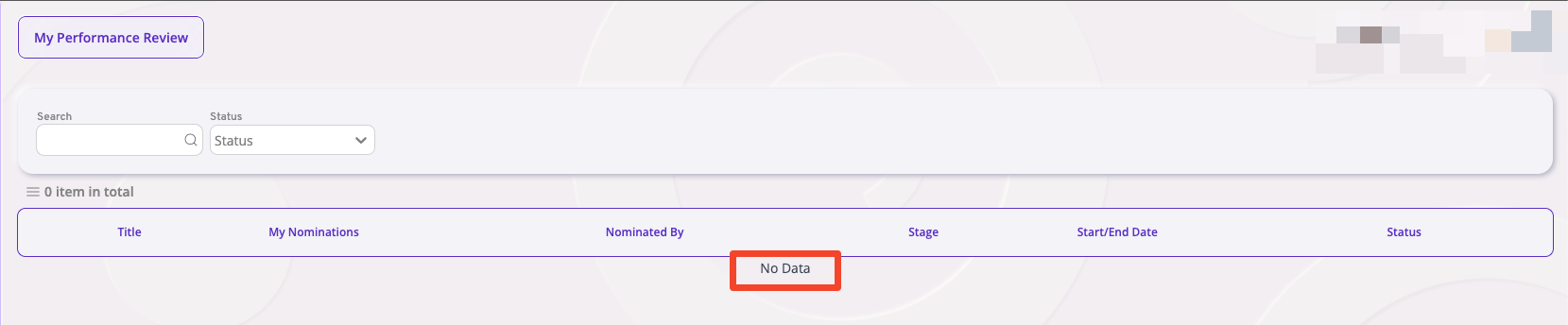
Note:
- If even after this procedure the screen continues to show 'no data', it indicates that there is indeed no data to be presented. In this case, we ask you to review it with the people dev team and open a support ticket if necessary.
- This bug is already under analysis by the project team for a permanent fix.
Instructions for clearing cache in Engage (error 'no data')
Steps to Clean Engage/Expand History in the Browser (Chrome)
*For other browsers, the procedure is similar
*For other browsers, the procedure is similar
- Click on the icon represented by a "padlock" (next to the site's URL)
- Click on "Cookies and Site Data"
- Then on "Manage Cookies em Site Data"
- Click on the icon represented by a "trash bin" for the three items below and then "confirm":
- Reload the page and access Engage again.
- Test again to see if the reported error still persists
Was this article helpful?
That’s Great!
Thank you for your feedback
Sorry! We couldn't be helpful
Thank you for your feedback
Feedback sent
We appreciate your effort and will try to fix the article