All employees must submit their Timesheet Mirror at the end of the month.
Here are the steps to sign the Timesheet Mirror in the Avenue Engage:
Step 1: Check if all weeks of that month have been submitted and approved by accessing the menu: Time Entries > My Time Entries
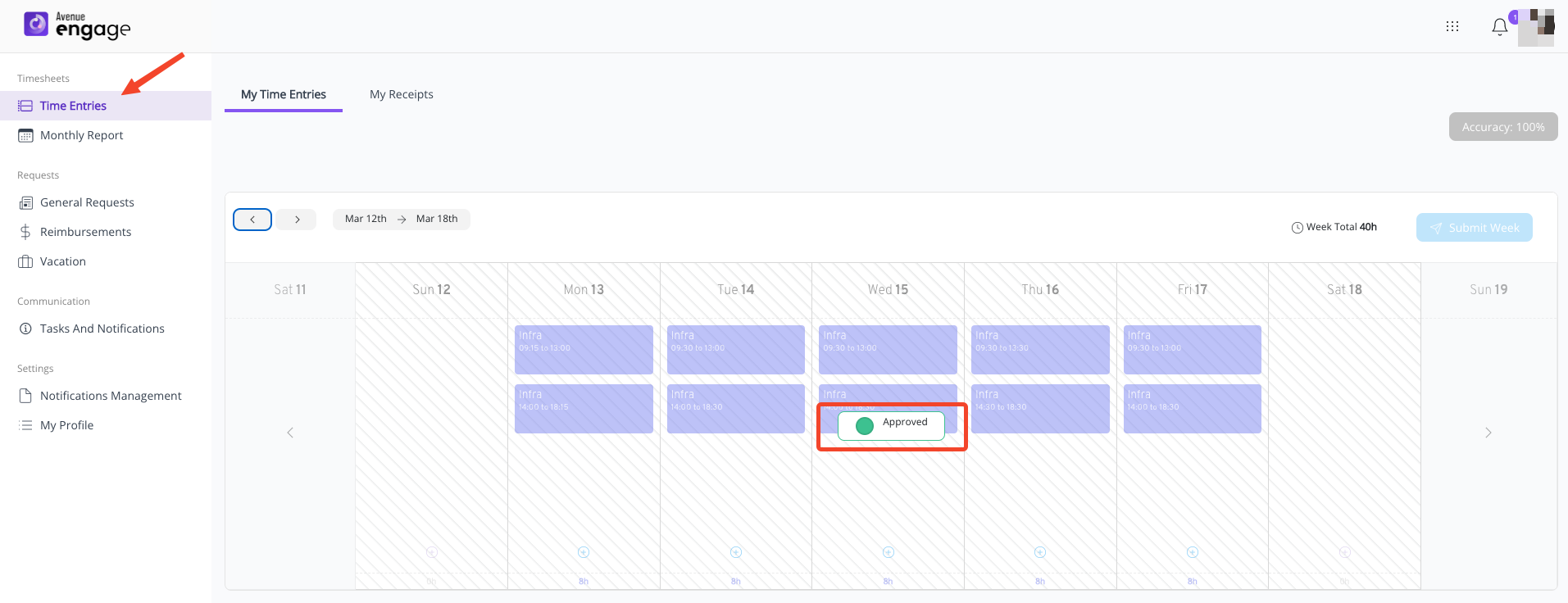
If the month ends in the middle of a week, that week does not need to be submitted
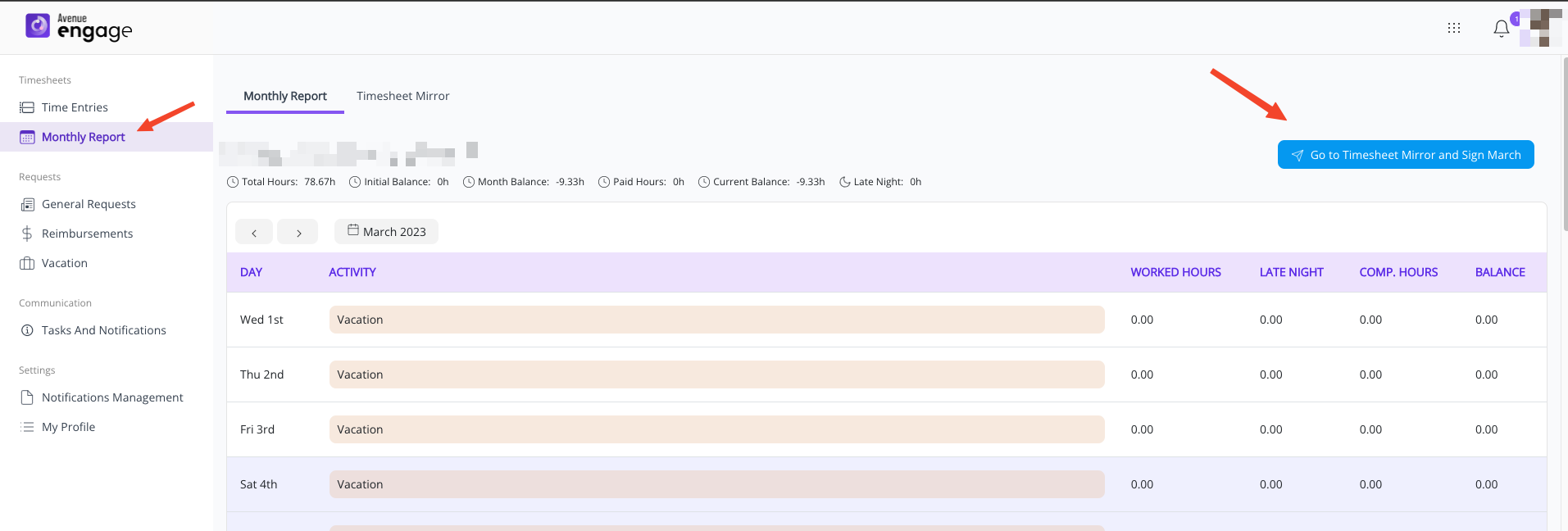
Step 2: Access the "Monthly Report" menu, select the correct month, and click "Go To Timesheet Mirror and Sign Month"
Step 3: Wait for the loading of all time entries
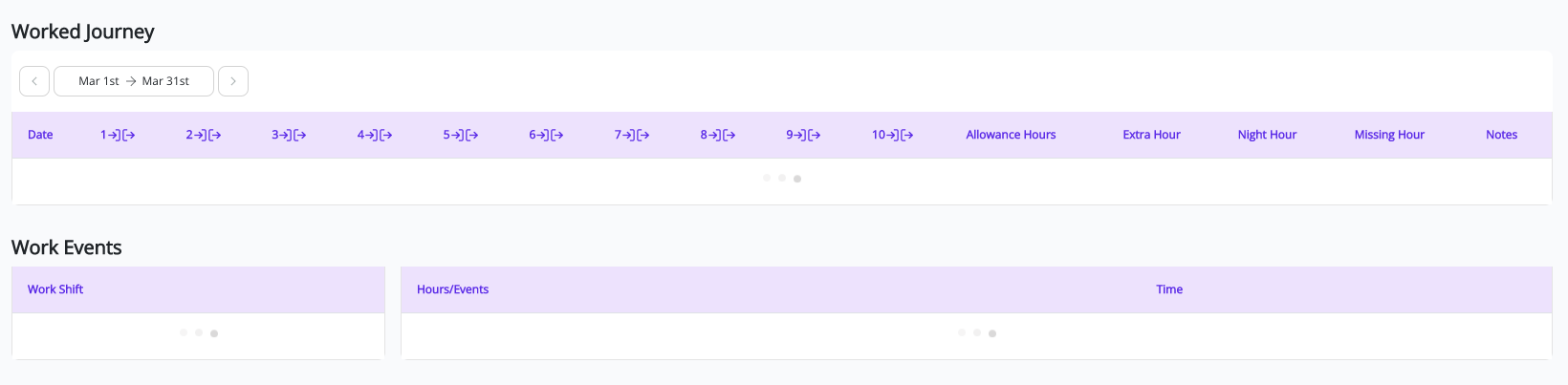
Next, carefully review your month by checking if:
- All previous months have been submitted;
- It is the correct month;
- All time entries are correct;
- Your registration data is correct;
If you have any doubts, talk to your manager before submitting your Timesheet Mirror.
Step 4: Submitting Timesheet Mirror
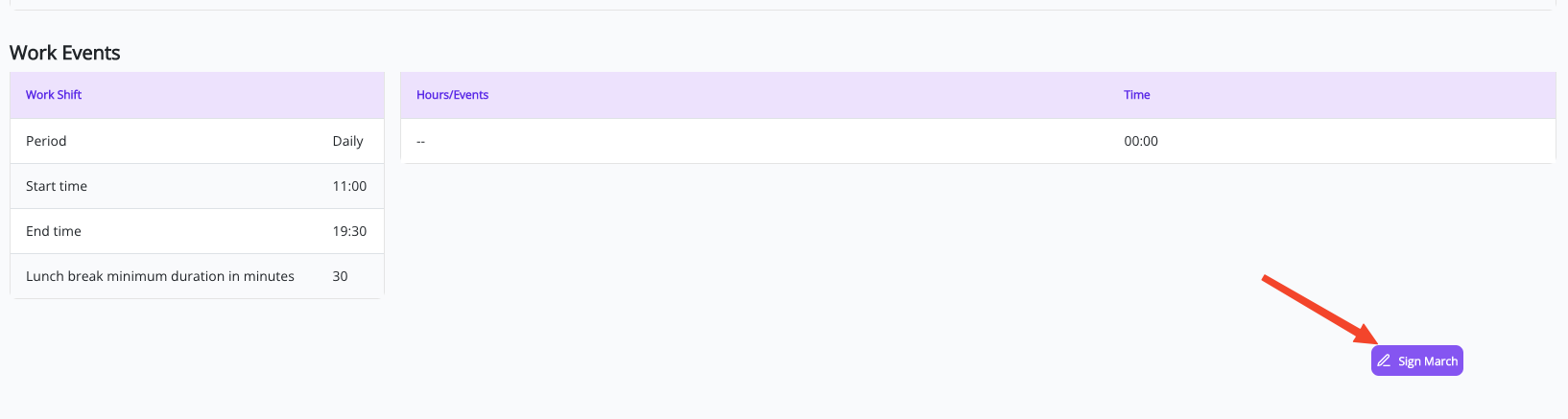
Scroll down to the bottom and click on: "Sign Month"
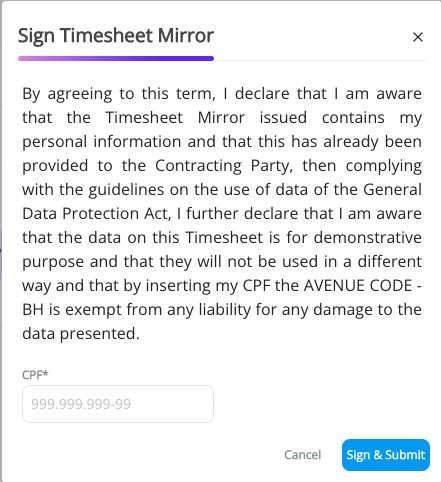
On the next screen, the legal terms will be presented.
Read them carefully and enter your CPF.
Finally, click on "Sign & Submit"
- If your month is successfully submitted, a success message will be displayed and the process is complete.
After submitting your month, you will no longer be able to make changes to the time entries. If you need to modify any record, please contact your manager.
Was this article helpful?
That’s Great!
Thank you for your feedback
Sorry! We couldn't be helpful
Thank you for your feedback
Feedback sent
We appreciate your effort and will try to fix the article