Welcome to the Avenue Eco Platform! This guide will help you complete your first access quickly and easily.
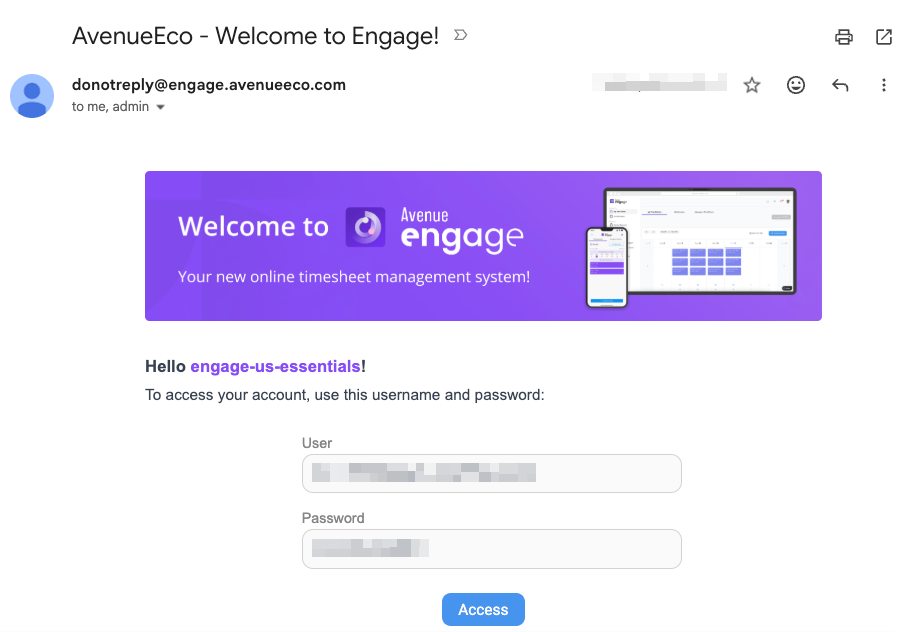
When your user account is created in Engage, Expand, or Exceed a welcome email will usually be sent to your company email address from “donotreply@engage.avenueeco.com”, containing your login information and a link to access the system.
Example of the welcome email
On the login page, enter your company email address and password, then click Sign In.
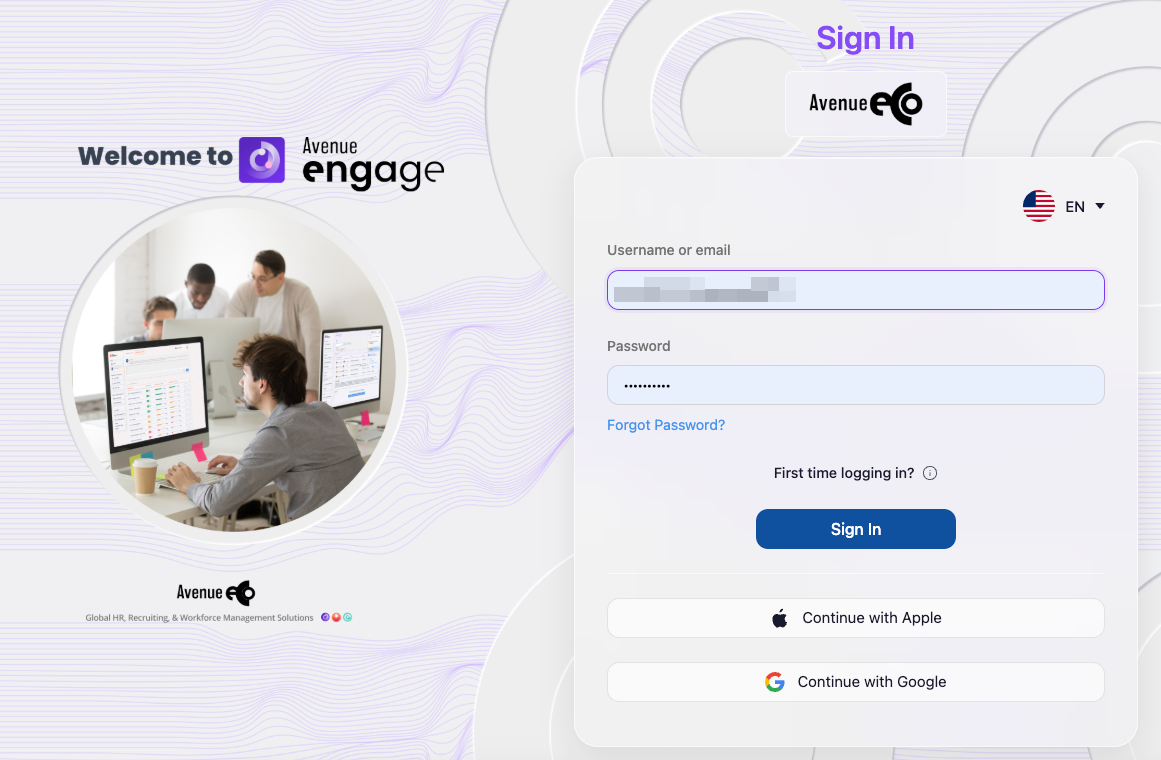
*If prompted, follow the instructions displayed on the screen to create or update your password.
Didn't receive or can't find the welcome email?
You can set up your access directly from your login page.
Access your company’s Avenue Eco Platform URL.
For example: https://<company-name>.engage.avenueeco.comOn the login page, click Forgot Password?
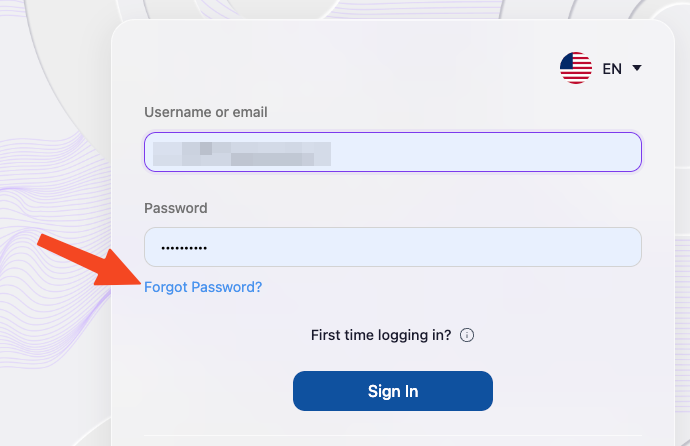
Enter your company email address in the Username field.
Click Submit.
You will receive an email with a link to create or reset your password.
Open the email and click Link to reset credentials.
Example of Password reset email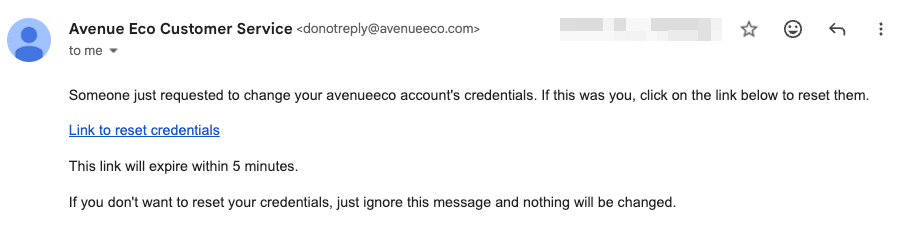
Note: If you do not receive the password reset email after checking your Spam or Junk folder, please contact your company’s HR team or system administrator to confirm that your email address is correctly registered and your account is active.
On the Update password page, enter your new password in New Password.
Enter the same password again in Confirm password.
Click Submit.
Important: The password reset link is valid for a limited time. If the link expires, repeat the Forgot Password? process to request a new one.
Once your password has been successfully created or updated, return to your company’s Avenue Eco Platform URL and sign in using the authentication method available for your company.
You can also sign in using SSO
Depending on the authentication options enabled by your company, you may also be able to access using Single Sign-On (SSO).
Available options may include:
Microsoft
Google
Apple
On the login page, select the SSO option available for your company and follow the authentication steps using your corporate account.
Note: The SSO methods available may vary depending on your company's configuration.
Still need help?
If you continue to experience issues after following the steps above, you can open a ticket with the Avenue Eco Support Team using one of the channels below.
Via the Support Portal
Via Email
Engage: help.engage@avenueeco.com
Expand: help.expand@avenueeco.com
Exceed: help.exceed@avenueeco.com
Please use the support channel corresponding to the Avenue Eco product you are trying to access.
Was this article helpful?
That’s Great!
Thank you for your feedback
Sorry! We couldn't be helpful
Thank you for your feedback
Feedback sent
We appreciate your effort and will try to fix the article