With Avenue Engage you are able to receive email and desktop notifications, bellow you will find instructions on how to manage these notifications.
Managing your notifications
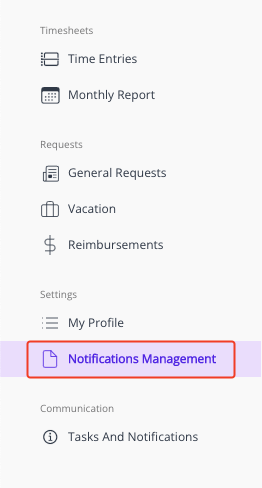
Step 1: Go to the "Notifications Management" menu
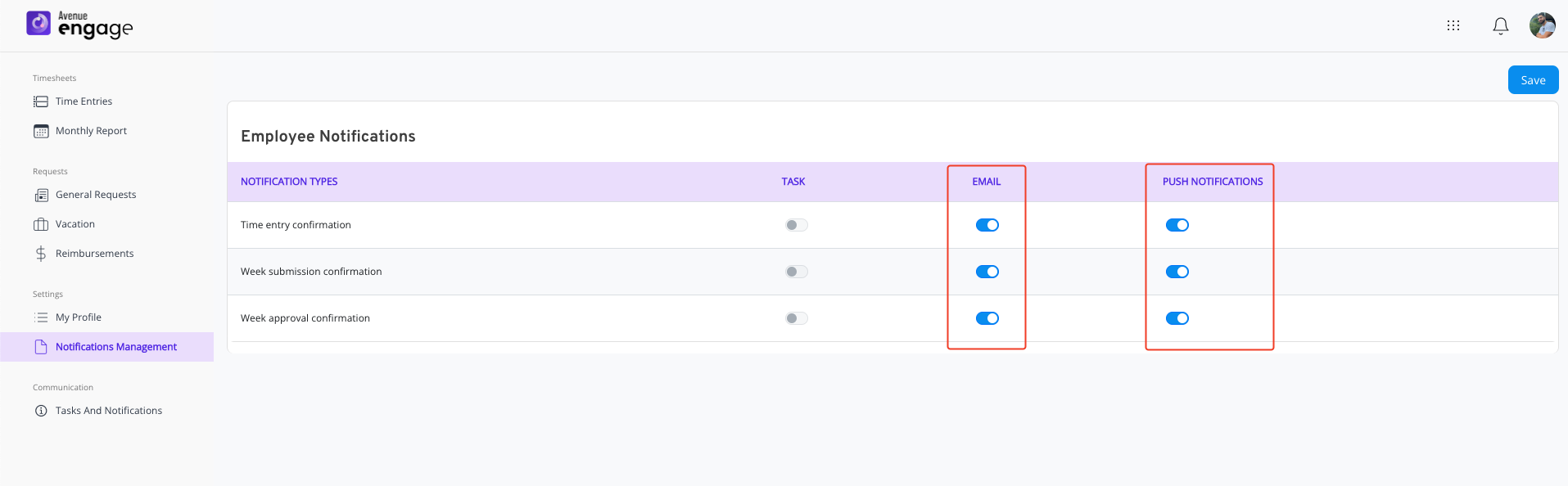
Step 2: Choose the notification type you want to manage
- After choosing the notification type you want to enable or disable, you just have to click on the toggle button of the notification medium.
Step 3: Save your settings before leaving
- To save your new notification settings, just click on the "Save" button.
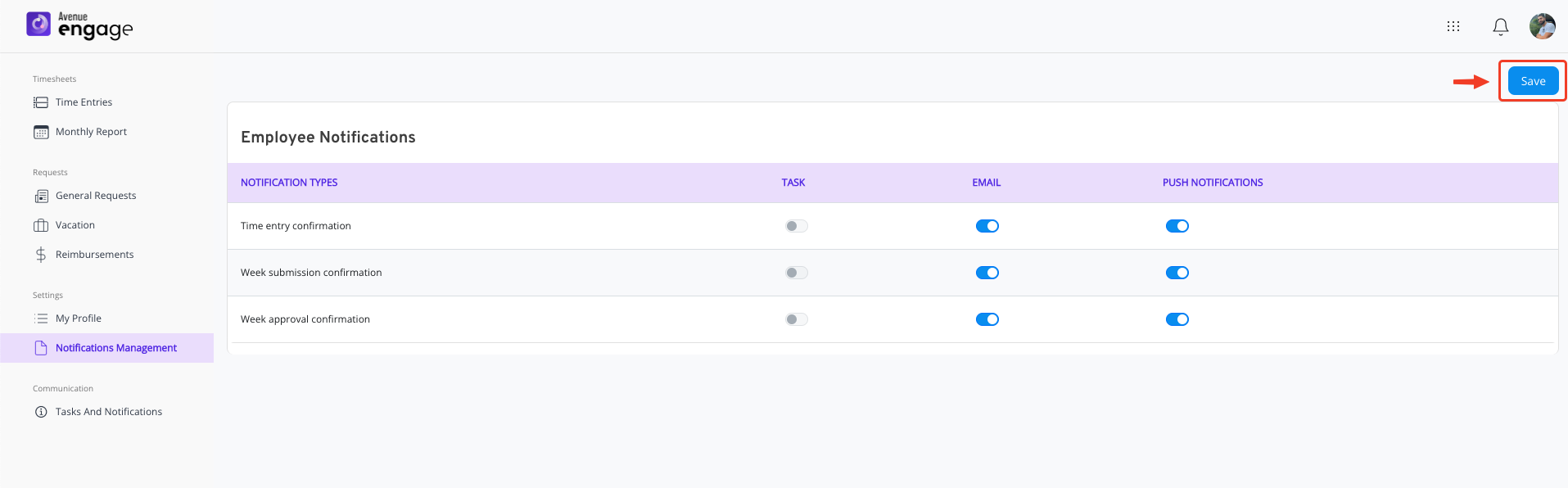
- If your settings are saved with success you will see the message bellow.

Managing desktop notifications
Engage offers desktop notifications for your convenience, bellow you will find direct links to enable/disable them for the most commom browsers
Google Chrome
https://support.google.com/chrome/answer/3220216?hl=en&co=GENIE.Platform%3DDesktop
Safari
https://support.apple.com/guide/safari/customize-website-notifications-sfri40734/mac
Was this article helpful?
That’s Great!
Thank you for your feedback
Sorry! We couldn't be helpful
Thank you for your feedback
Feedback sent
We appreciate your effort and will try to fix the article