If by any reason one of your managees have to make a change on a submitted week, follow the steps below.
Instructions for reopening a managee week
Step 1: Go to the "Managees Timesheets" tab
- After the log-in in Engage click on the "My Time Entries" menu option under the "Timesheets" menu group.
- Then click on the "Managees Timesheets" tab

Step 2: Find the week that have to be reopened
- Navigate between the date intervals till you are on the dates for the week that needs to be reopened
- Find the employee on the list. You can use the filter options to search by managee name or week status.
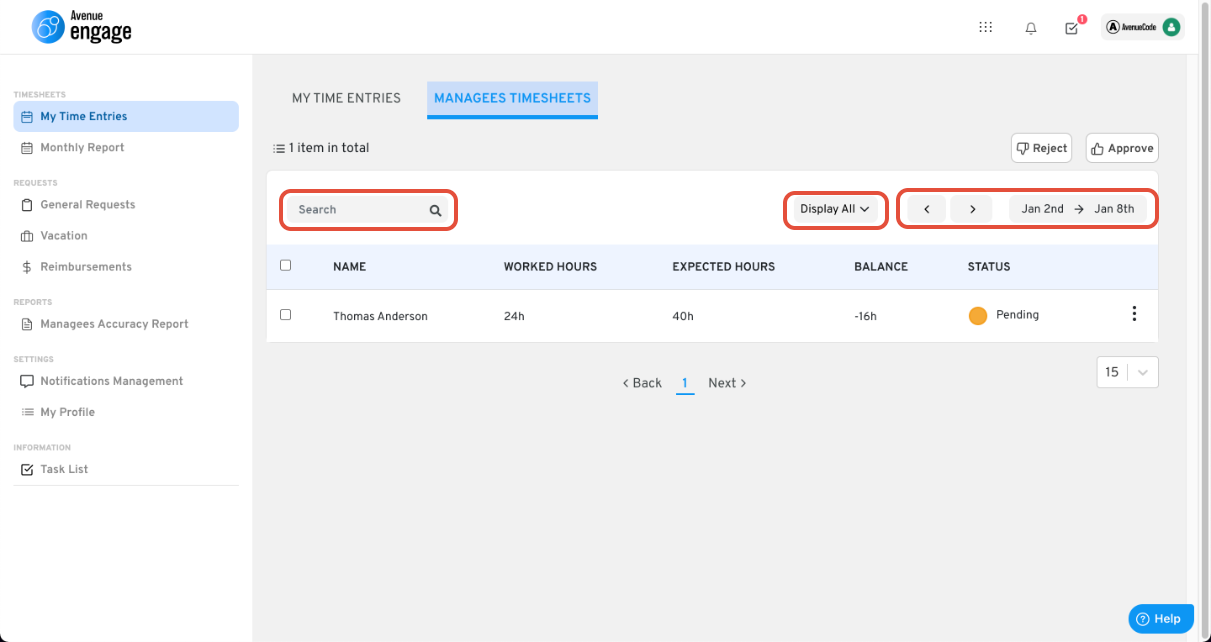
Step 3: Reopen your managees week
- After finding the employees week, click on the three dots at the end of the line.
- Then click on "Reopen Week".
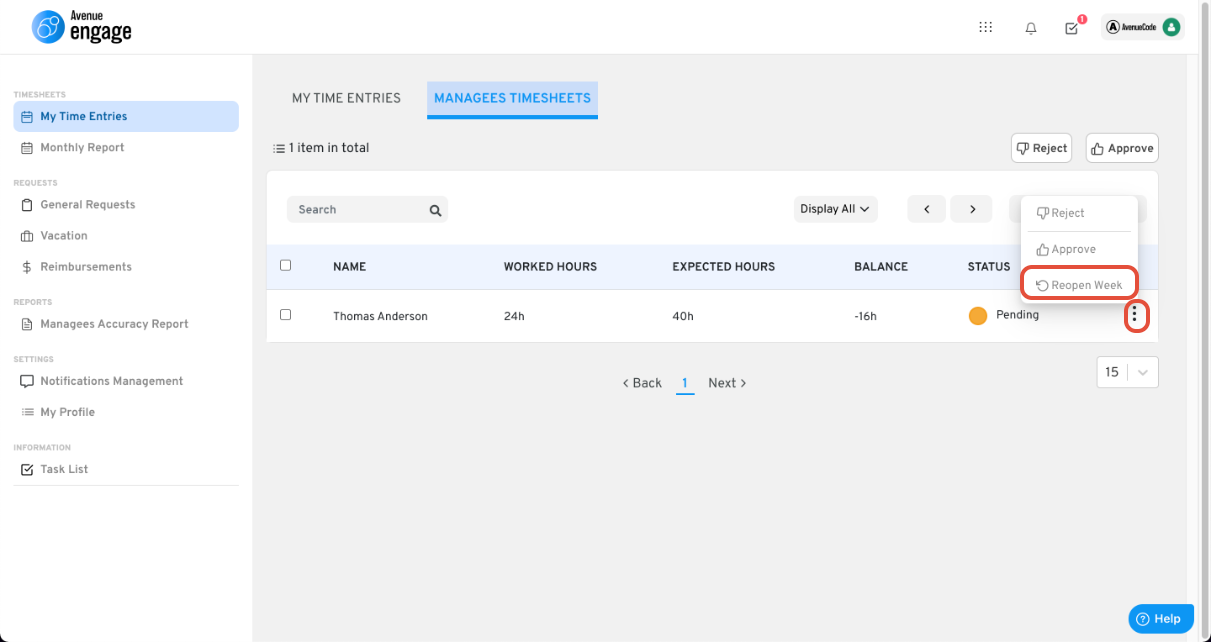
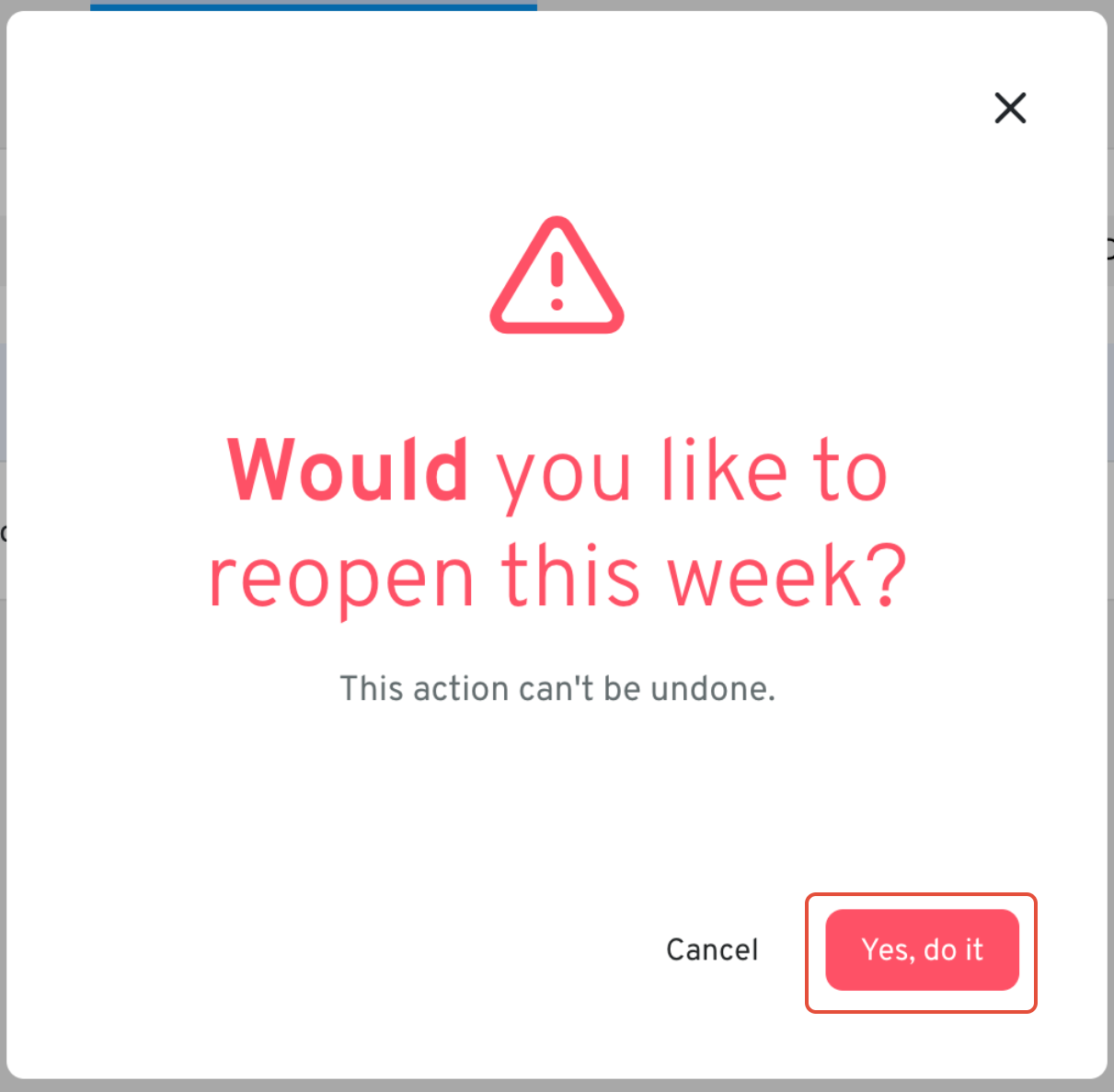
Step 4: Confirm the week reopening
- On the confirmation modal, click on the "Yes, do it" button.
Was this article helpful?
That’s Great!
Thank you for your feedback
Sorry! We couldn't be helpful
Thank you for your feedback
Feedback sent
We appreciate your effort and will try to fix the article